
Show Prospects What Poor Rankings May Be Costing Them
Enter a keyword's search volume, current ranking, customer value, and conversion assumptions to estimate the additional revenue available from stronger rankings.
Free with attribution · No account · Data stays in WordPress · Transparent math
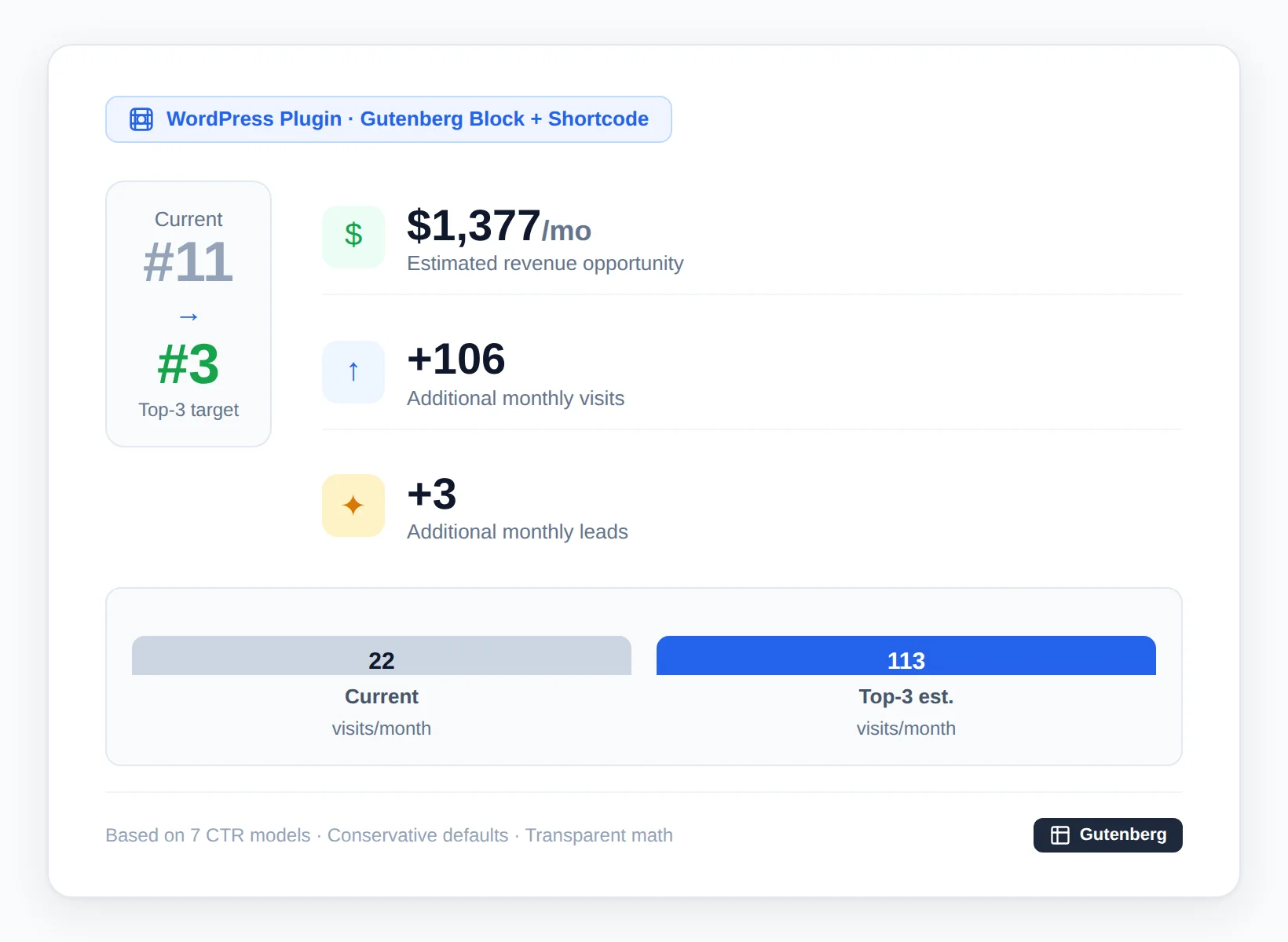
Calculate Your SEO Revenue Opportunity
Enter your numbers below. Complete two quick steps to see your results. No email required.
This calculator provides an estimate based on the values and CTR model you select. It does not predict or guarantee future revenue.
How the SEO Revenue Leak Calculator Works
No account creation. No email gate. Just transparent math.
Enter Your Numbers
Your keyword, current ranking position, customer lifetime value, and conversion rates.
Choose a CTR Model
Select from 7 industry-specific click-through-rate curves or enter custom values.
Review & Share
See your estimated revenue opportunity, export as PDF, or share via link.
SEO Revenue Leak Calculator Features for Agencies
Every feature is designed to help agencies close more deals.
White-Label Customization
Your agency name, logo, and brand colors. The calculator interface is fully white-labeled. The free license requires one separate attribution link somewhere on your website.
Transparent Calculations
Every constant is disclosed. Every assumption labeled. Conservative by default — biases toward under-promising.
7 Industry CTR Models
Standard Commercial, Informational/AIO, High-Intent, Ecommerce, Local Service, B2B SaaS, Legal — plus manual override.
PDF & Shareable Reports
One-click PDF generation and shareable URL with parameter encoding. Send prospects their personalized leak report.
WordPress Lead Storage
All lead data stays in your WordPress database. Route to database, email, or webhook. No third-party servers.
Gutenberg Block + Shortcode
Embed via Gutenberg block or [linkcheck_roi_calculator] shortcode. Works with any WordPress theme. Designed to load without shifting the surrounding page layout.
WordPress SEO Calculator Plugin Dashboard
Everything lives inside WordPress — no third-party dashboards or external services.
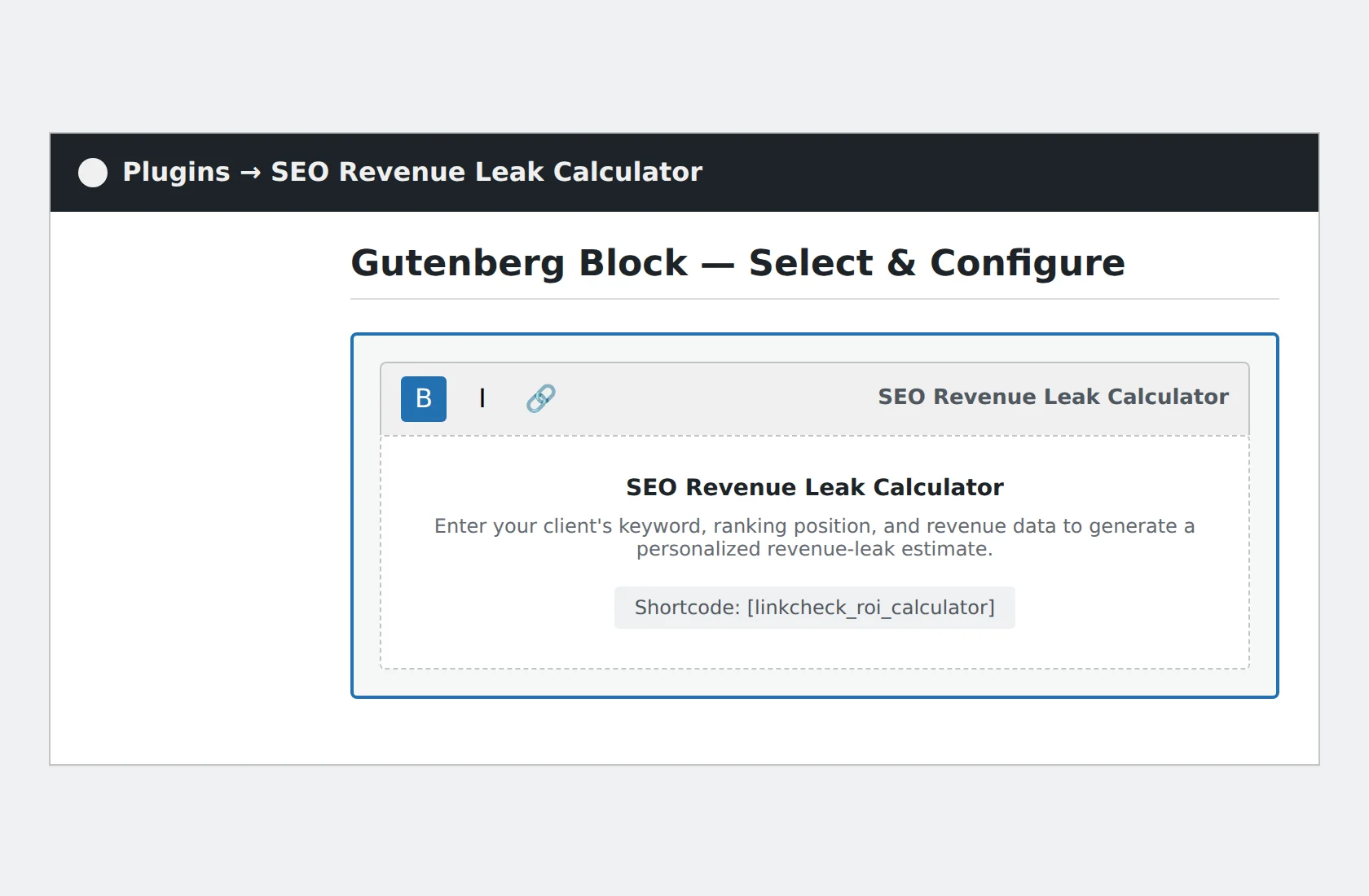

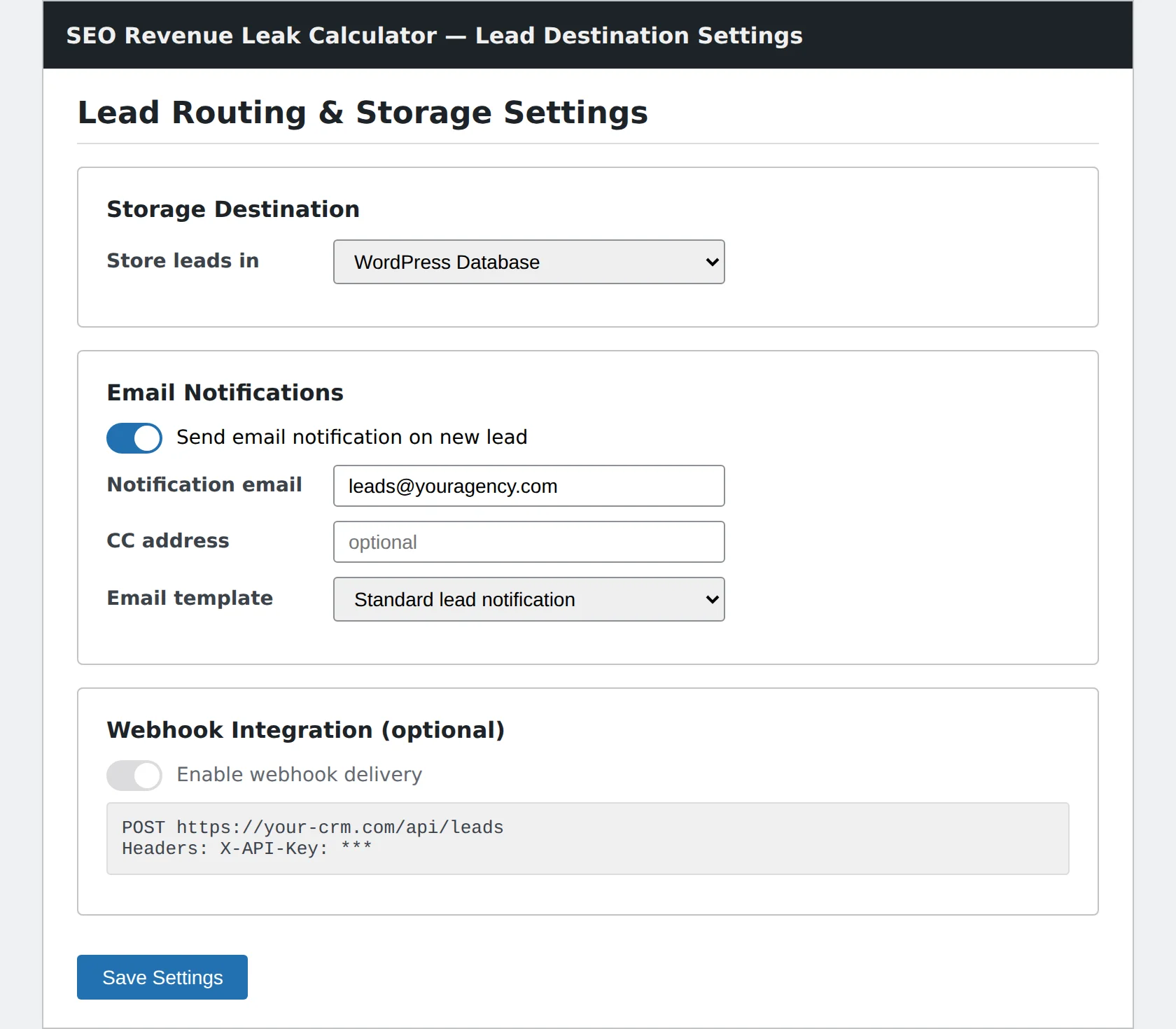
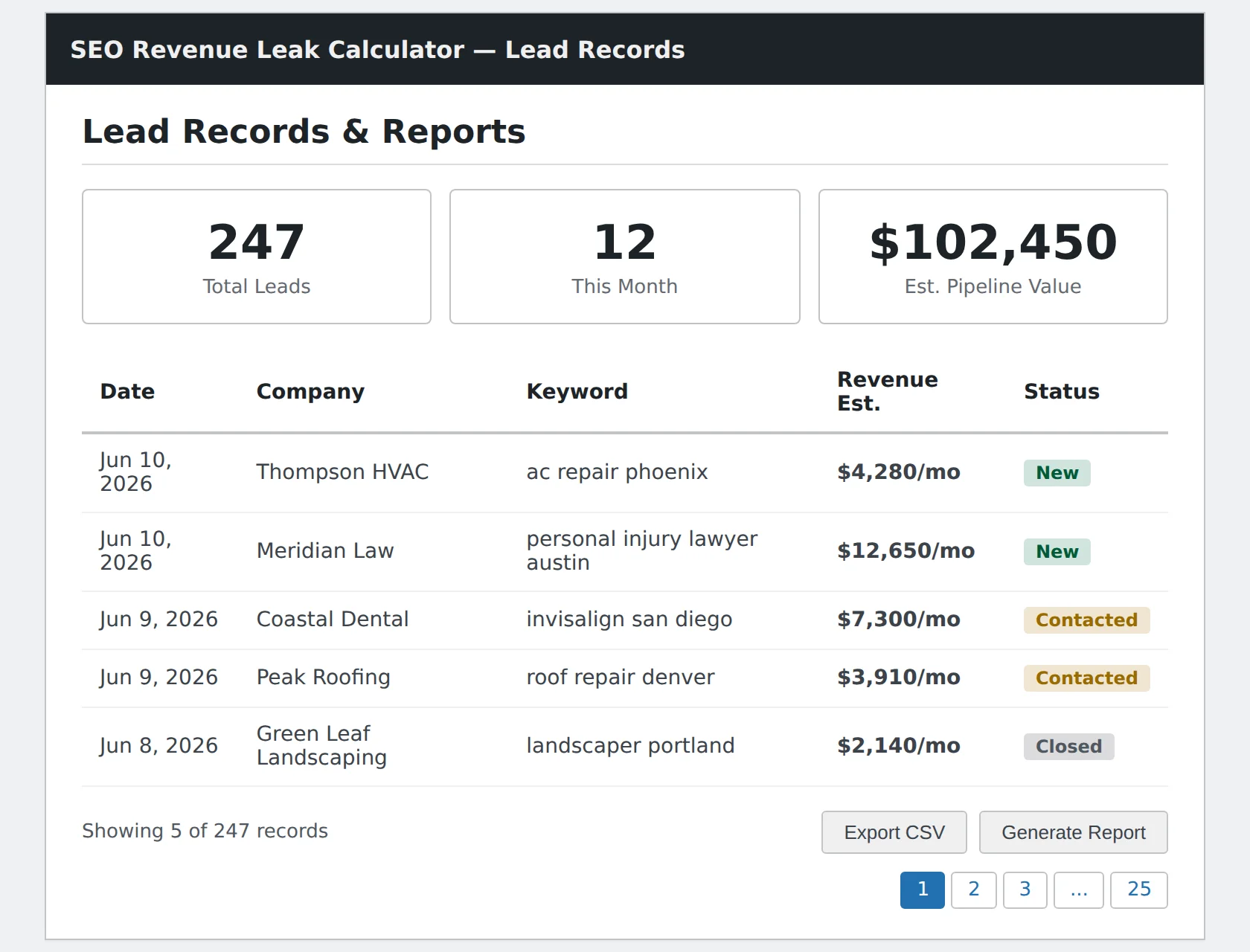
All screenshots from a live WordPress 6.4+ installation running the SEO Revenue Leak Calculator plugin.
How SEO Revenue Leak Calculations Work
Three levels of detail: simple overview, worked example, and full methodology.
Simple Calculation Overview
2. Top-3 traffic = Avg CTR(top-3) × Volume × 0.15
3. Traffic gap = Top-3 traffic − Current traffic
4. Revenue leak = Traffic gap × Conversion rate × Close rate × 0.90 × LTV
Key assumptions: Qualified traffic factor (0.15), cannibalization discount (0.90), 24-month linear projection. All scenarios use the same inputs but different multipliers.
Example Walkthrough
Results vary based on your inputs and the selected CTR model.
View Full Calculation Methodology
Locked Constants
Conservative internal assumptions. The 24-month figure is cumulative linear — not compounding.
Full Formula Chain
2. T_target = Avg(CTR(1), CTR(2), CTR(3)) × V × Q
3. ΔT = T_target − T_current
4. ΔLeads = ΔT × C_site
5. ΔSales = ΔLeads × C_sales × K
6. Leak_monthly = ΔSales × LTV × Scenario
7. Leak_24mo = Leak_monthly × 24
V = Volume • Q = 0.15 • P = Position • C_site = Conv. Rate • C_sales = Close Rate • K = 0.90
Download the Free SEO Revenue Leak Calculator Plugin
Embed the calculator on your agency site in minutes. Shortcode, Gutenberg block, or direct PHP include.
Requires WordPress 6.0+ • PHP 7.4+ • Free · Attribution link to linkcheck.app required
SEO Revenue Leak Calculator is provided by LinkCheck
Product Information
| Current version | 1.0.0 |
| Last updated | June 10, 2026 |
| WordPress support | 6.0 and newer |
| PHP support | 7.4 and newer |
| File size | 51 KB |
| License | Free with attribution |
| Checksum | SHA-256: 8712494a…53c2b9b |
Support: Email support@linkcheck.app for installation help or questions.
SEO Revenue Leak Calculator FAQ
Everything you need to know before downloading.
[linkcheck_roi_calculator] shortcode, or direct PHP include.